Photo style / watercolor

Turn a Photo into a Watercolor Painting

A watercolor photo conversion translates a recognizable subject into layered transparent washes, softened edges, visible paper grain, and selective detail. Artformly keeps the source image as the visual anchor while changing the medium, color movement, and surface character.

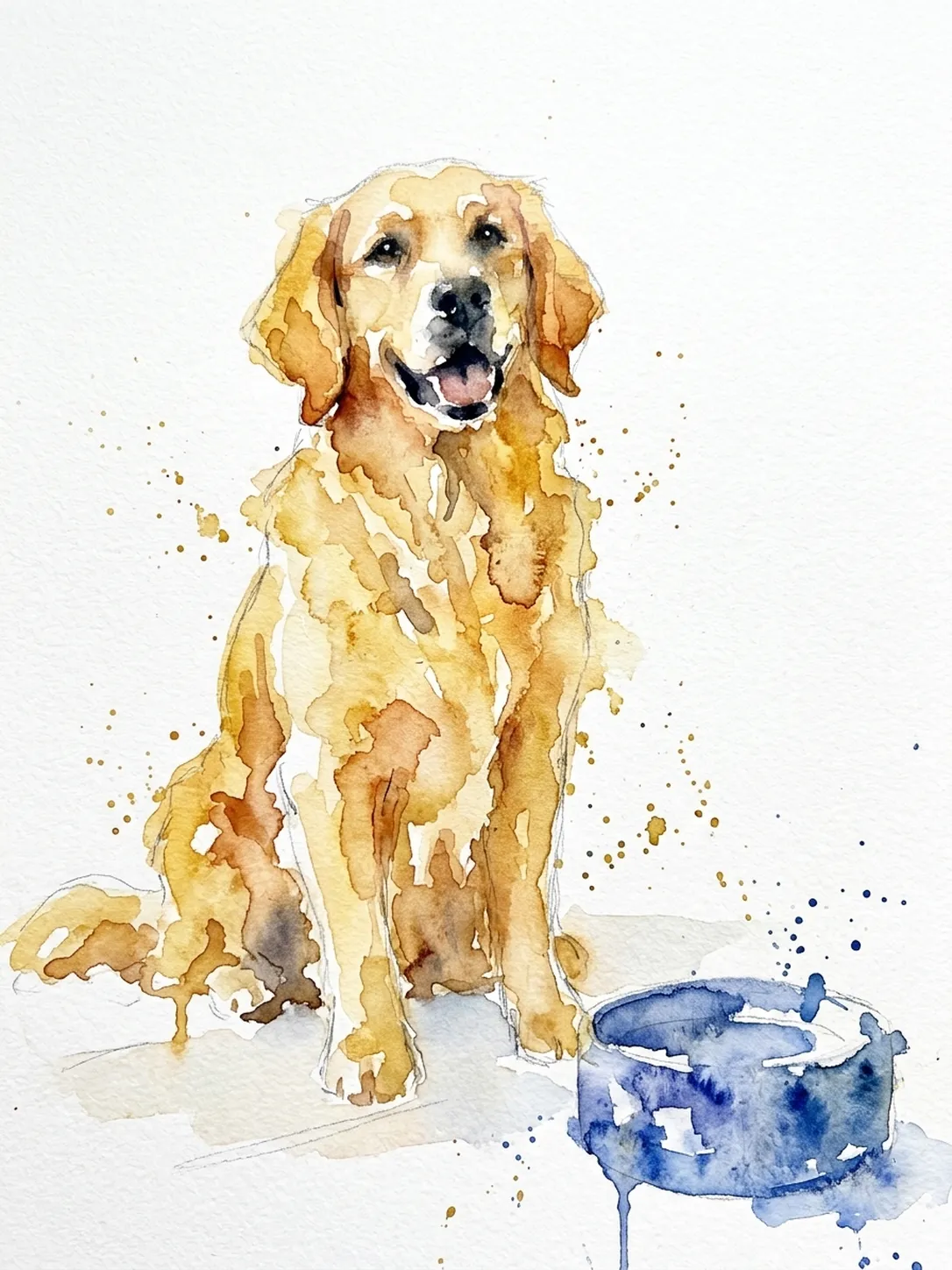
Golden retriever photo transformed into a soft watercolor pet portrait

Watercolor should change the medium without losing the moment.

A convincing result does more than blur a photo. Pigment gathers at edges, pale washes allow paper to show through, shadows soften, and a few precise marks preserve the bottle, person, pet, or object that made the source worth keeping.

Golden retriever photo transformed into a soft watercolor pet portrait
Directed result / after

What Artformly accepts and creates

Input formats
JPG, PNG, or WebP source photos, up to 10 MB.
Source dimensions
A clear photo that isn't tiny; very large photos may need to be resized first.
Artwork output
A downloadable HD illustration.
Generation cost
2 Artformly credits for each completed generation; failed generations are refunded.

Prompt example for this art direction

Artformly provides guided style choices, so a long prompt is not required. This example shows the visual decisions behind the direction and can also help when planning source photography.

Preserve the recognizable subject, pose, and focal details; reinterpret the photo with transparent watercolor washes, soft pigment blooms, selective cobalt accents, dry-brush edges, visible cold-press paper texture, and calm intentional negative space.

Prompt examples describe an art direction, not a guaranteed identical result. The source photo, composition, and generative variation all affect the finished artwork.

How to get a more believable watercolor result

Start with clean light and a readable subject

Choose a photo where the main subject separates clearly from the background. Soft daylight, visible facial or object contours, and moderate contrast give the watercolor treatment enough structure without forcing every detail into a hard edge.

Let some areas stay unfinished

Traditional watercolor depends on restraint. Open paper, fading edges, and quiet transitions make the finished image feel painted rather than filtered. Busy backgrounds usually work better when simplified into broad color atmosphere.

Use color to support the focal point

A limited palette creates stronger visual direction than equal saturation everywhere. Keep the clearest pigment, darkest value, and most controlled detail near the face, pet, product, or object you want viewers to notice first.

Review likeness before texture

Paper grain and pigment blooms are appealing, but the silhouette, pose, and defining features matter more. Check those essentials at thumbnail size before judging decorative texture.

A recognizable source

Keep the pose, silhouette, and essential subject details as the visual anchor.

A distinct artistic medium

Change line, shape, texture, and color without reducing the result to a generic filter.

A reusable HD artwork

Download a finished HD file that can be resized or cropped for personal creative uses.

Create this illustration style in three steps

  1. 01

    Choose a clear photo

    Use an image with a readable subject, enough context, and details worth preserving.

  2. 02

    Select the treatment

    Choose the artistic direction that best matches the subject and intended mood.

  3. 03

    Generate and review

    Check recognizability, composition, texture, and negative space, then download the strongest result.

Frequently asked questions

How do I turn a photo into a watercolor painting?

Open Artformly Studio — your first generation runs without an account. Sign up only when you want to download the HD file. Upload a clear JPG, PNG, or WebP photo, choose Watercolor portrait, and generate. Review subject likeness and composition before downloading.

Which photos make the best watercolor illustrations?

Photos with one clear focal subject, readable edges, natural light, and moderate background detail work best. Portraits, pets, products, flowers, architecture, and travel scenes can all work when the main shape remains easy to identify.

Will the watercolor still look like the original person or pet?

The workflow aims to preserve the defining silhouette, pose, color anchors, and important features, but generative output can vary. Use a sharp source with an unobstructed face or subject and review the result before sharing it or sending it as a digital gift.

Does Artformly create real paint on paper?

No. Artformly creates a digital illustration that simulates watercolor decisions such as transparent washes, softened edges, pigment texture, and visible paper. The download is a digital HD image, not a scanned physical painting.

What can I do with the watercolor artwork?

Download the HD file and use it as a profile picture, wallpaper, social post, or in your own personal projects. Artformly is a digital service and doesn't offer printing.

Do I need an account to generate a watercolor?

No. Your first generation runs without an account and shows a preview. Sign up when you want to download the HD file or keep works in your private library.

Are uploaded photos shown in the public gallery?

No. Account works are private by default. The public gallery uses Artformly-owned reference assets or material explicitly selected for public display, not ordinary customer uploads.

How much does one watercolor generation cost?

A completed generation currently costs 2 Artformly credits. If the generation fails, the reserved credits are refunded automatically according to the product rules shown in Studio and on the Pricing page.

Try this style with a photo you already love.

Upload a clear source image, choose the treatment, and create a finished artistic interpretation in Studio.

Create in Studio